
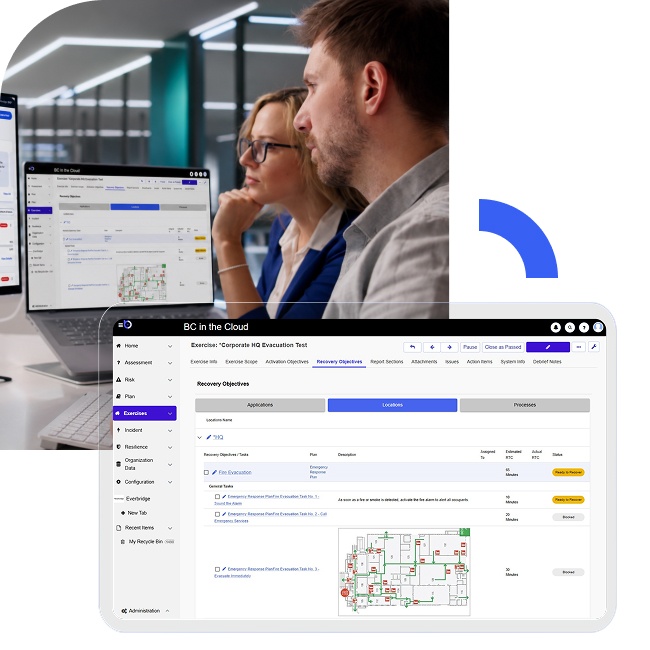
Why organizations move beyond Excel for business continuity
Spreadsheets may work for small continuity programs, but they become difficult to maintain as organizations grow. BC in the Cloud helps organizations standardize business continuity planning with automated workflows, centralized reporting, leadership approvals, and enterprise data integration – all in one platform.
Many business continuity programs begin with Excel or Google Sheets because they are familiar and easy to deploy. Over time however, spreadsheet-based programs often create challenges:
- Inconsistent plan formats across departments
- Duplicate or outdated data
- Administrative overhead for follow-up processes
- Limited visibility into plan completion status
- Difficulty proving audit history and approvals
- Time-consuming reporting preparation
BC in the Cloud provides structure, automation, and centralized visibility that spreadsheets cannot easily support at scale.
Organizations use BC in the Cloud to streamline continuity planning through standardized templates, automated workflows, approval routing, compliance and audit-ready reporting, and integrations with enterprise systems.
BC in the Cloud vs Excel / Google Sheets
| Capability | Excel / Google Sheets | BC in the Cloud |
|---|---|---|
| Data collection | Inconsistent formats and manual version control | Pre-defined templates standardize continuity data collection |
| Task reminders | Manual follow-up emails and tracking | Automated workflows and reminder notifications |
| Audit readiness | Difficult to validate history across files | Centralized audit-ready tracking and reporting |
| Leadership approvals | Informal sign-off through email chains | Structured approval workflows with validation tracking |
| Enterprise data alignment | Manual updates from HR, IT, and location systems | Integration with enterprise source data for consistency |
| Reporting visibility | Time-consuming manual reporting | Dashboards, reports, and real-time status tracking |
| Administrative effort | High manual coordination and reconciliation | Reduced administrative overhead through automation |
| Program scalability | Becomes difficult to manage across departments | Designed to support enterprise continuity programs |
What customers say about BC in the Cloud

“I find it incredibly useful in managing tasks in one central location. The tool enables comprehensive workflow structuring for Business Impact Analyses (BIAs), effectively supporting the entire Business Continuity/Disaster Recovery lifecycle from beginning to end.”
-G2 review
“BC in the Cloud is keeping us organized and making the process easier for our business partners.”
-G2 review
“I also appreciate the ability to pull reports and create helpful visualizations, which allow us to share data with stakeholders who don’t have BCIC access.”
-G2 review
Operational impact comparison
| Task | Spreadsheet-based process | BC in the Cloud process |
|---|---|---|
| Updating continuity plans | Multiple files and manual reconciliation | Centralized updates in one system |
| Following up on overdue reviews | Manual emails and tracking lists | Automated reminders and workflow escalation |
| Preparing for audits | Assemble files and validate versions manually | Generate centralized audit-ready reports |
| Leadership validation | Separate email approvals and offline tracking | Built-in approval workflow with accountability |
| Program reporting | Manual report compilation | Real-time dashboards and reporting |
How BC in the Cloud improves BCM program management
Standardized templates
Help ensure continuity data is collected consistently across departments, business units, and locations.
Automated workflow & reminders
Reduce manual coordination by sending reminders, tracking overdue tasks, and streamlining plan maintenance activities.
Reduced administrative overhead
Dashboards, reporting tools, and status tracking reduce the time continuity teams spend managing spreadsheets and compiling updates manually.
Audit-ready reporting
Centralize reporting and historical tracking to support audits, demonstrate compliance, and provide leadership visibility.
Leadership approval workflows
Allow leadership teams to review, confirm, and validate continuity data before plans are finalized.
Enterprise data integration
Integrate with HR systems, application inventories, and location data help maintain consistency between continuity records and operational systems.
Move from spreadsheet chaos to a managed continuity program
See how BC in the Cloud helps organizations:
- Standardize continuity planning
- Reduce administrative effort
- Automate reminders and approvals
- Improve compliance and audit readiness
- Gain real-time reporting visibility
FAQs
Organizations often outgrow spreadsheets as continuity programs expand. BC in the Cloud provides standardized workflows, automation, centralized reporting, approvals, and better visibility across the organization.
Spreadsheet-based programs can create inconsistent data, version control issues, manual administrative work, limited audit visibility, and difficulty scaling across teams.
BC in the Cloud centralizes documentation, approvals, historical tracking, and reporting, making it easier to demonstrate compliance and provide evidence during audits.
Yes. BC in the Cloud supports integration with enterprise data sources such as HR, IT applications, and location records to improve consistency and reduce manual updates.
Automation reduces manual follow-up work by sending reminders, tracking overdue tasks, routing approvals, and improving visibility into program status.
BC in the Cloud provides better governance, reporting, auditability, workflow management, and scalability than spreadsheets with data aggregation, dependency mapping, and risk identification.