Security and risk leaders evaluating lone worker software often default to a feature-by-feature comparison: panic button versus panic button, check-in timer versus check-in timer. That comparison misses a more important question: what happens after the alert fires?
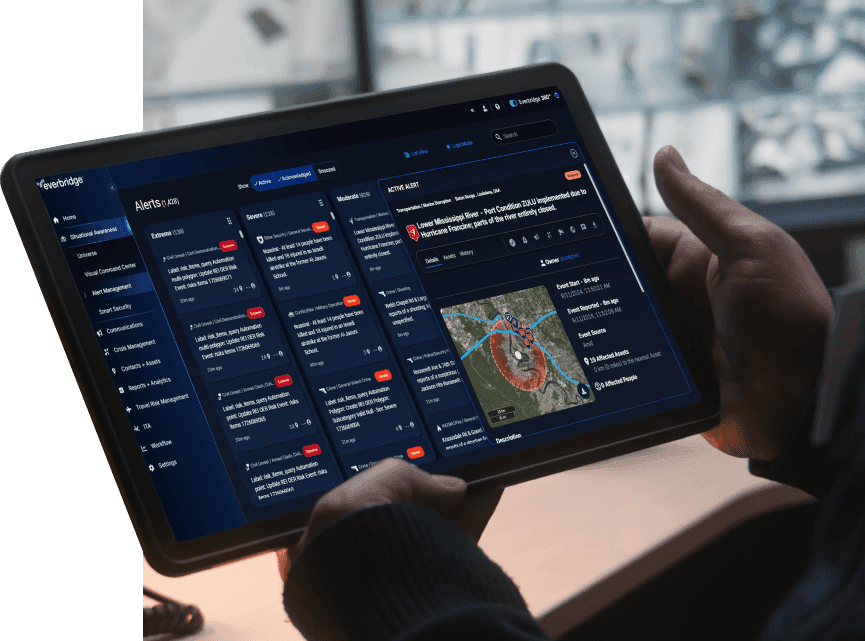
Everbridge takes a different approach. Rather than functioning as an isolated check-in app, it connects individual employee safety events — a missed check-in, an SOS alert, a duress signal — directly into mass notification workflows and Global Security Operations Center (GSOC) visibility. A single at-risk employee and a building-wide evacuation can be managed from the same command console, using the same escalation logic, the same audit trail, and the same responder network.
This distinction matters at scale. Everbridge supports 6,500+ organizations globally, including 9 of the 10 largest healthcare systems in the United States, because enterprise security and safety teams need lone worker protection that plugs into a broader critical event management (CEM) program rather than living in a separate silo. Connected to the Everbridge 360™ platform and powered by Purpose-built AI, lone worker alerts become part of a single, continuously improving resilience program — not a standalone tool that stops working the moment an incident escalates.
This guide compares the major lone worker and employee safety platforms on the market, breaks down the core use cases risk and resilience leaders search for, and explains why “connected” versus “point solution” is the single most consequential architectural decision in this category.
Comparison table: lone worker and employee safety software
| Platform | Best for / Use Case | Platform Availability | Integrated CEM |
|---|---|---|---|
| Everbridge | Enterprise organizations needing lone worker check-ins tied to mass notification, travel risk, and GSOC-level incident response | iOS, Android, Web, integrates with wearables & IoT devices | Yes |
| SafetyCulture | Teams wanting lone worker check-ins bundled with inspection and checklist workflows | iOS, Android, Web | No |
| AlertMedia | Mid-size to enterprise teams needing threat intelligence paired with emergency communication | iOS, Android, Web | Limited |
| Blackline Safety | Industrial and remote-site workers needing gas detection + wearable hardware | iOS, Android, Web, dedicated wearable devices | No |
| SoloProtect | UK-focused lone worker programs requiring dedicated wearable ID-badge devices | Dedicated wearable device, companion web portal | No |
| SafetyLine | Small-to-mid teams in remote or low-connectivity environments (satellite integration) | iOS, Android, Web, satellite device integration | No |
| Peoplesafe | Organizations wanting an outsourced 24/7 alarm receiving center for a small lone worker population | iOS, Android, Web | No |
| Ok Alone | Budget-conscious teams needing basic check-in and man-down alerting | iOS, Android, Web | No |
| LONEALERT | UK organizations needing device-based lone worker monitoring across varied risk tiers | iOS, Android, Web | No |
Why integration matters
A standalone lone worker app can tell you that an employee missed a check-in. On its own, it cannot tell you whether that missed check-in is connected to a wider event: a severe weather warning near that employee’s location, a facility lockdown two blocks away, or a travel risk alert already flagged for their itinerary.
This is the structural gap between a point solution and a connected critical event management platform:
- Point solutions manage a single workflow — check-ins, panic alarms, GPS pings — in isolation. Escalation typically routes to a call center or a fixed contact list, with no visibility into other threats unfolding at the same time.
- A connected CEM platform ingests the lone worker signal alongside weather data, facility access events, travel itineraries, IT/OT alerts, and public safety data, then correlates them. A GSOC operator sees the missed check-in in context, determines whether it is isolated or part of a broader incident, and triggers the right response — targeted outreach, mass notification, or full emergency escalation — from a single system of record.
- Auditability and duty-of-care reporting become far simpler when lone worker events, mass notifications, and incident response actions live in one platform rather than requiring manual reconciliation across separate vendor dashboards.
For organizations with distributed workforces, multiple facilities, or regulatory duty-of-care obligations, this integration is not a convenience feature. It is the difference between reactive alerting and coordinated, high-velocity critical event management: knowing earlier, responding faster, and improving continuously with every event.
Lone worker safety
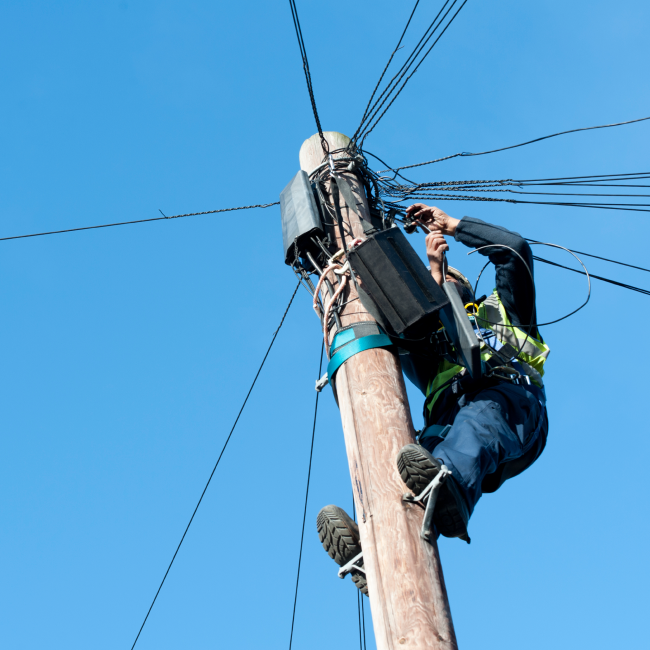
Lone worker safety software protects employees who work without direct supervision or in isolation: home healthcare visitors, field technicians, utility workers, retail staff on closing shifts, and outreach personnel. Core functionality typically includes:
- Panic/duress alarms for immediate emergency signaling
- Automated check-in timers that escalate if a worker fails to respond
- Man-down / no-motion detection for workers who become incapacitated
- 24/7 monitoring center or GSOC escalation to verify alerts and dispatch help
Platforms like Blackline Safety and SoloProtect lean heavily on dedicated wearable hardware for industrial and high-risk field environments, while SafetyLine and Ok Alone focus on app-based check-ins for lighter-risk lone working scenarios. Everbridge differentiates by routing lone worker alerts through the same GSOC infrastructure used for mass notification and travel risk management, so a lone worker’s duress signal can trigger the same coordinated response protocol as a facility-wide emergency, rather than being managed as an isolated call-center ticket.
When you evaluate a lone worker solution, confirm it can scale from a handful of field employees to an enterprise-wide safety program without forcing a vendor switch later. Resilience is a maturity journey, and the platform you choose should grow with it.
Remote worker safety
Remote worker safety extends beyond lone working scenarios to cover distributed teams working from home, satellite offices, client sites, or while traveling. Buyers researching “remote worker app” solutions are typically looking for a combination of:
- Activity and task scheduling
- Communication tools for dispersed teams
- Location visibility during work hours (not continuous surveillance)
- Safety check-ins for employees traveling or working off-site
Point solutions such as Connecteam and SafetyCulture bundle remote worker safety with broader workforce management: scheduling, forms, and checklists. This works well for operational management, but it leaves a gap for organizations that also need to correlate remote-worker location data with global risk intelligence — for example, flagging an employee traveling into a region with an active severe weather advisory or civil unrest alert.
Everbridge closes that gap by pairing remote worker check-in and location data with travel risk management and real-time threat intelligence, so security teams can warn remote or traveling employees proactively rather than reacting only after a check-in is missed.
GPS tracking and location monitoring
Real-time GPS tracking is a baseline feature across nearly every vendor in this category, but implementations differ meaningfully:
- Continuous tracking (always-on location visibility) versus event-triggered tracking (location surfaces only during an active check-in, alarm, or shift)
- Geofencing capabilities to define safe zones or restricted areas and trigger alerts on boundary crossings
- Offline/low-connectivity support, including satellite device integration, offered by vendors like SafetyLine and Blackline Safety for remote or rural work sites
- Historical location and activity reporting for compliance, incident investigation, and duty-of-care documentation
Most point-solution vendors present location data within their own siloed dashboard. In a connected CEM environment, location data becomes an input into broader situational awareness, allowing security operations teams to see, on a single map, which employees are near an active threat — severe weather, a facility incident, a security event — and communicate directly with only that affected population.
Emergency check-in and duress alerts
Emergency check-in workflows and duress alerting are the operational core of any lone worker or employee safety program. Key evaluation criteria include:
- Alert methods: manual SOS button, automatic no-motion/fall detection, scheduled check-in timers, and overtime/missed check-in escalation
- Verification process: does the platform rely on a third-party alarm receiving center, an internal security team, or a hybrid model?
- Two-way communication: can responders reach the employee directly to assess the situation before dispatching emergency services?
- Escalation logic: if the primary contact doesn’t respond, does the alert automatically escalate to a secondary responder, a GSOC, or local emergency services?
Vendors like Peoplesafe and LONEALERT operate dedicated alarm receiving centers as their primary differentiator. Everbridge takes a different approach: duress and check-in alerts feed into the same critical event management workflows used for mass notification, so escalation is not limited to a single call-center queue. It can simultaneously notify security personnel, on-call responders, and management through multiple channels — SMS, push, voice, and email — based on pre-configured severity rules.
Ready to move beyond fragmented point solutions and give your lone worker program the same coordination, visibility, and audit trail as your enterprise critical event management strategy? Talk to Everbridge about connecting lone worker safety to your broader resilience program.
Frequently asked questions
A lone worker app is software designed to protect employees who work without direct in-person supervision, including field technicians, home healthcare workers, retail staff, and remote employees. Core functionality typically includes real-time GPS location tracking, panic/duress alarms, automated check-in timers, and escalation to a monitoring center or internal security team when a worker doesn’t check in or triggers an alert. More advanced platforms extend this into broader critical event management, connecting individual worker safety events to organization-wide emergency communication and response.
Start by mapping your organization’s actual risk profile. How many employees work alone or remotely? Do they operate in low-connectivity environments requiring satellite support? Do you need a 24/7 monitoring center, or does your organization have an internal security team capable of responding to alerts directly? Beyond core lone worker features, evaluate: Scalability — can the platform grow from a pilot group to your full distributed workforce? Integration — does it connect to your existing mass notification, HR, travel management, or security operations systems, or does it operate as an isolated app? Compliance and audit reporting — can you produce documentation demonstrating duty-of-care compliance? Escalation flexibility — can alert routing be customized to your organization’s incident response protocols rather than a fixed vendor workflow? Organizations with a single small team may be well served by a standalone check-in app. Organizations with multiple locations, a security operations function, or regulatory duty-of-care exposure typically outgrow point solutions and need a platform built for connected, high-velocity critical event management.
OSHA does not maintain a single standalone “lone worker” standard, but the General Duty Clause (Section 5(a)(1)) of the OSH Act requires employers to provide a workplace free from recognized hazards likely to cause death or serious harm — an obligation that extends to employees working alone or in isolation. Certain OSHA standards address lone working conditions directly in specific industries, such as confined space entry rules and permit-required confined space monitoring. Employers are generally expected to conduct a risk assessment for solo or remote work, establish a means of checking on worker status, and maintain a documented emergency response plan capable of locating and assisting an employee in distress.
ISO 45001 is the international standard for occupational health and safety management systems. It does not prescribe specific lone worker technology, but it does require organizations to identify hazards, including those associated with solitary or remote work, assess risk, and implement controls proportionate to that risk, with documented processes for monitoring, incident response, and continual improvement. Many organizations use ISO 45001 certification as the framework for justifying investment in lone worker and employee safety software, since the standard expects demonstrable, auditable evidence of hazard controls rather than informal safety practices. Duty-of-care obligations — a legal and ethical requirement to protect employee wellbeing — reinforce this: organizations that fail to implement reasonable monitoring and emergency response capabilities for at-risk employees can face liability exposure regardless of formal certification status.